
Before you sign, FormFire will review your account and run an Error Check to make sure that there are no errors or missing pieces of information. This article will show you how to correct any errors that our system finds in your account.
NOTE: Video does not contain audio!
If there are any errors, you'll be asked to correct them before signing.
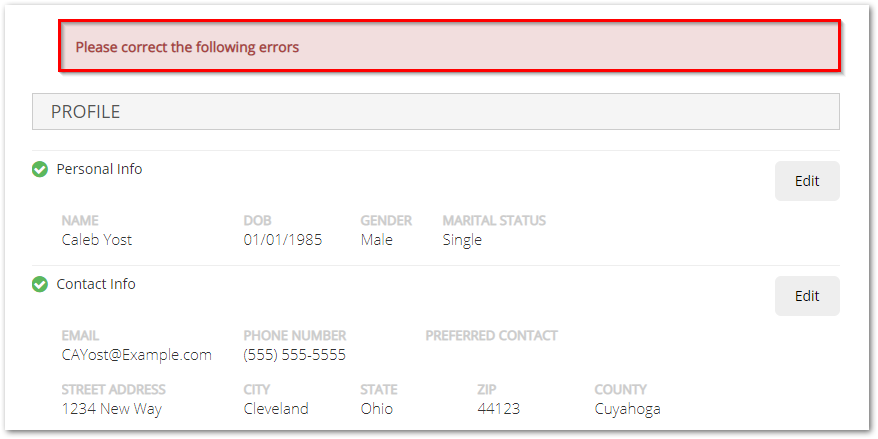
You'll see a summary of the information your entered. Edit anything on this page by selecting the gray Edit button on the right-hand side of the screen

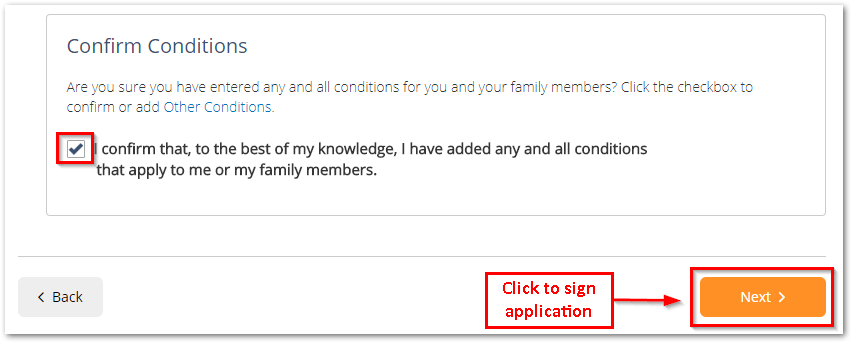
Once all errors have been corrected, you'll not only be able to Confirm Conditions for yourself and your dependents but you'll be able to move on and complete your application.
Click here to see how you can contact our FormFire Customer Support team for technical assistance. However, if you have any questions regarding your benefits, please contact your HR Manager or your company's Insurance Broker.
Comments
0 comments
Article is closed for comments.